Will query folding apply to Power BI Composite models?

Recently, I run into a case where we wanted to combine Direct Query sources with imported data. Well, this functionality is actually called composite models nowadays. Having that said, let me start with managing some expectations for this post. The title says composite models, but I have to admit, it is not about the to …

Continue reading Will query folding apply to Power BI Composite models?

Leverage Power BI Deployment Pipelines with Premium per user licensing

At Microsoft Ignite, there were two really exciting announcements when it comes to enterprise features for Power BI. Both directly took my attention, as well as for many others. Obviously, the first one is Power BI Premium per user (PPU) licensing. Secondly, Deployment Pipelines reached General Availability! Two super important features for enterprises and the …

Continue reading Leverage Power BI Deployment Pipelines with Premium per user licensing

[UPDATED] Power BI icon for Diagrams.net to draft full Power Platform Solutions

It is only a week ago when I posted the icon library for diagrams.net, also known as draw.io, wrote a blog about it and shared with all of you. Now it is already time to give it the first update! At Ignite 2020, Microsoft showed us the new Power Platform Icons for the very first …

Continue reading [UPDATED] Power BI icon for Diagrams.net to draft full Power Platform Solutions

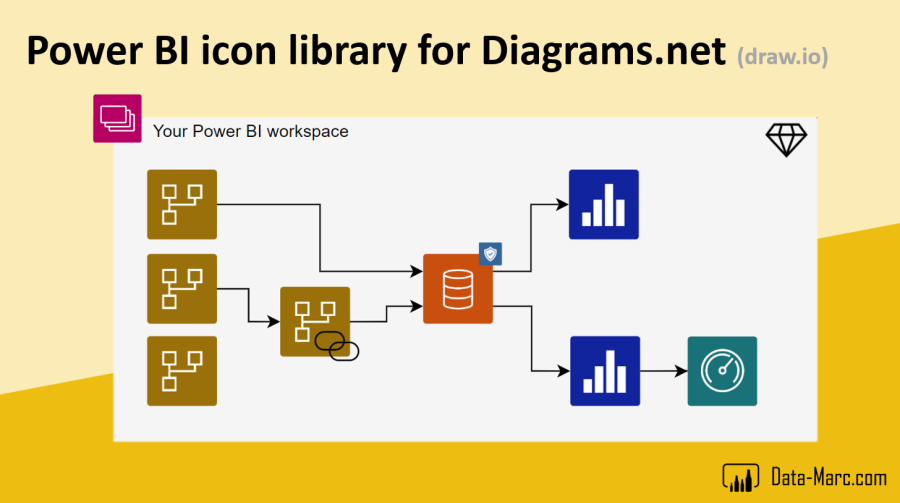
Power BI icon library for Diagrams.net (draw.io)

Recently, Dave Ruijter posted a blog about a library containing all the Azure Icons. He shared all icons in his GitHub repository which allows you to directly connect it to the tool Diagrams.net (previously known as draw.io) to draft your Azure architecture. One missing piece in this library was Power BI. Because of that, I …

Continue reading Power BI icon library for Diagrams.net (draw.io)

Bring existing tables to Power BI dataflows with Tabular Editor

In my previous blog, I wrote about using Tabular Editor to migrate existing (Azure) Analysis Services models to a Power BI data model. This is pretty awesome already! Once you moved your model to Power BI, you can also start using the functionality of the entire platform. One of the most useful features is dataflows …

Continue reading Bring existing tables to Power BI dataflows with Tabular Editor

Migrate Analysis Services models to Power BI using Tabular Editor

Power BI (Premium) now offers a native migration option to Power BI. I recommend first exploring that, before taking this approach. You can find more details here. Also read this blog around migration, how and why. Over the last two weeks, I had the pleasure to work on an innovative case where we wanted to …

Continue reading Migrate Analysis Services models to Power BI using Tabular Editor

Personalize your Power BI page navigation

Back in January 2020, I visited the Power BI Days in Belgium, where I had a talk about custom page navigation in Power BI. I already started playing around with the Power BI REST API and URLs to create a personalized navigation. As other bloggers might recognize, I ended-up as a draft blog but I …

Continue reading Personalize your Power BI page navigation

Leverage Azure Cognitive Services in Power BI without Premium subscription

Recently, I was presenting my session about AI Capabilities for Power BI to make AI Accessible for Everyone for the Virtual Power BI Days Hamburg. A great event organized by Kathrin Borchert. Part of my session was about the Artificial Intelligence capabilities offered as part of Power BI Premium. A day later, Kathrin came up …

Continue reading Leverage Azure Cognitive Services in Power BI without Premium subscription

Share your Power BI dataset and spice up your table and column names

Imagine that you are building a Power BI dataset for corporate reporting, that will also be reused for self-service purposes by many others. It is up to you, as dataset author, to make it as simple as possible for them to reuse your content and avoid misunderstandings. In this blog I will give more detail …

Continue reading Share your Power BI dataset and spice up your table and column names

Monitor your On-premises data gateway with Azure and Power BI – Part 2 – Data source connectivity

Lately, I published the first out of two blogs about monitoring your on-premises data gateway. The first blog was all about monitoring your gateway up time but doesn't tell you when one of the connections on your gateway is down. This blog will go in more detail how you can monitor your data source connectivity …

Continue reading Monitor your On-premises data gateway with Azure and Power BI – Part 2 – Data source connectivity