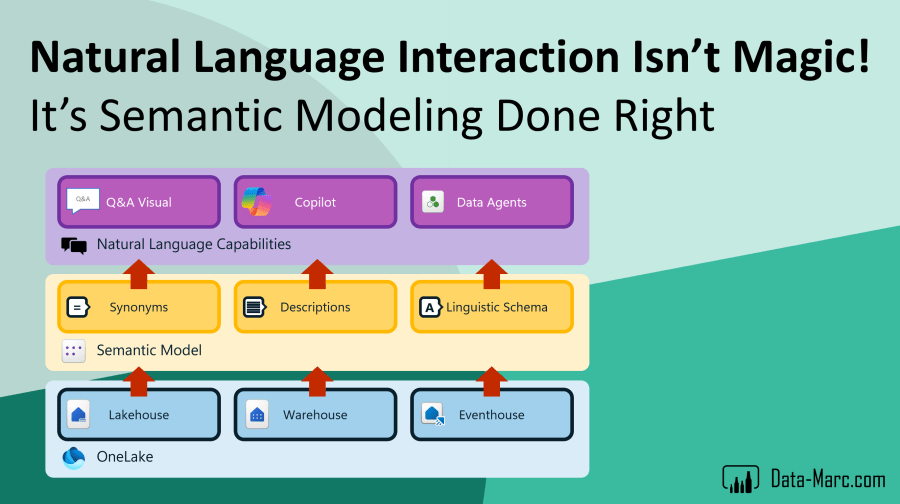
We’re at a point where the way we work with data is fundamentally shifting. Natural language is becoming the new interface, and tools like Microsoft Fabric are making it possible to ask questions and get answers straight from your data. One of the latest updates allow connecting Data Agents (formerly known as AI Skills) directly to Semantic Models.
In this blog, I’ll explain why Semantic Models should always be the foundation for your Data Agents setup. It improves the quality of responses, keeps your definitions consistent, and helps you move toward a true single source of truth. Whether you’re using Copilot, Q&A, or building custom Data Agents, this approach sets the foundation for reliable, business-ready insights.

Changing the way how we interact with data
Data Agents, also known as AI Skills – which was the previous name, are one of the newest enhancements to Microsoft Fabric. It’s a way to interact with the data as we’ve never did before, according to Microsoft. It allows us to start chatting with our data in a conversational experience.
If we have a closer look at ways how we can interact with our data in natural language, then we can identify three different options roughly of which one is around for years already.
- Data Q&A, the visual we have for years already in Power BI which is based on exact string-matching to find model objects in your Semantic Model matching the key terms in your phrases.
- Microsoft Copilot in Power BI, which is a build in experience for both creator as consumer experiences to interact with the data.
- Data Agents, the newest kid on the block which allows for customization, additional notes to enrich the prompt processing and can be seen as generative AI.
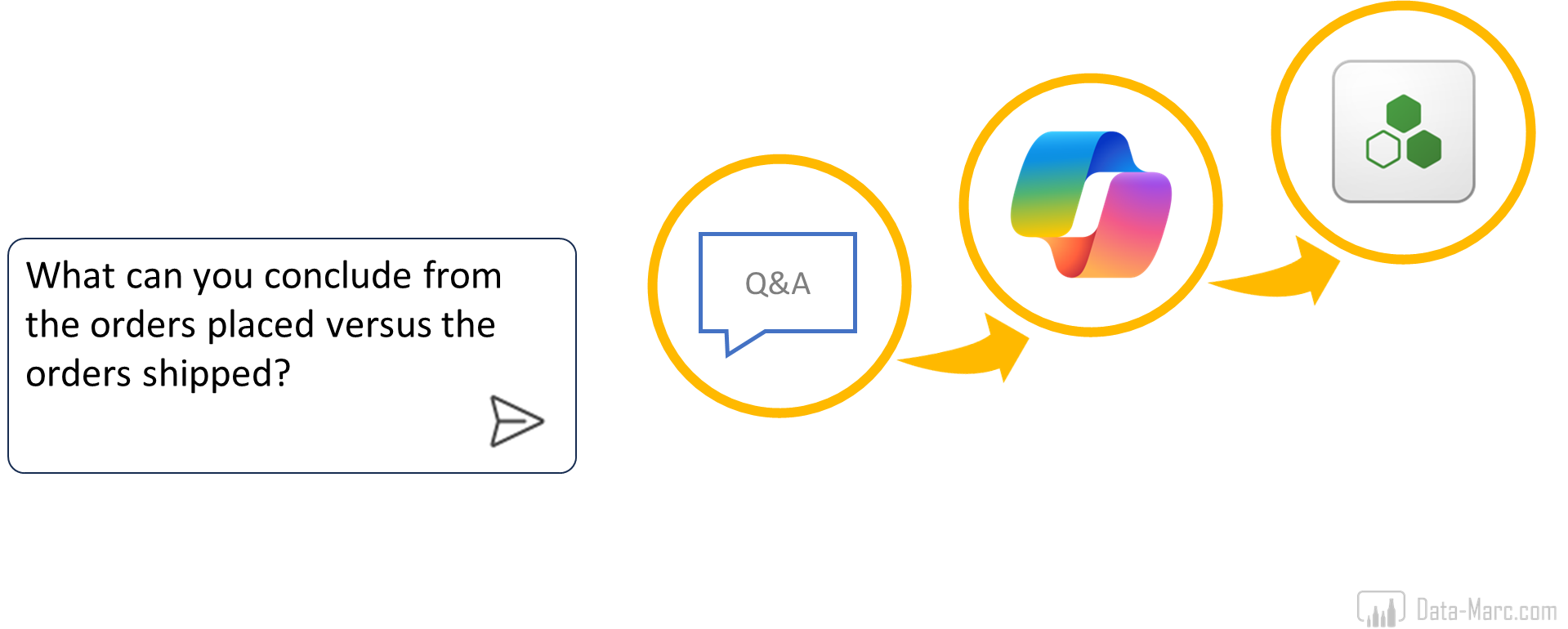
As I mentioned before, we can see Data Agents as generative AI, in which the developer is in control of enhancing the tool to have a better prompt-answer rate and improve accuracy. Compared to Microsoft Copilot, there is no room for custom training, and you have to deal with the out of the box experience. In January 2025, I wrote a blog comparing the three options already, which could come in helpful to understand each experience.
Power BI Q&A has some but limited training capabilities, as you can select which model objects can be used to answer the prompt. This way, you can easily exclude technical columns and tables for example. Also, adding synonyms and descriptions will help to easier find a match between the user prompt and the Semantic Model. Going the extra mile in custom training is enhancing the linguistic schema – which not many people are familiar with.
From Microsoft documentation:
A linguistic schema describes terms and phrases that Q&A should understand for objects within a dataset, including parts of speech, synonyms, and phrasings. When you import or connect to a dataset, Power BI creates a linguistic schema based on the structure of the dataset. When you ask Q&A a question, it looks for matches and relationships in the data to figure out the intention of your question. For example, it looks for nouns, verbs, adjectives, phrasings, and other elements. And it looks for relationships, like which columns are objects of a verb.
You’re probably familiar with parts of speech, but phrasings might be a new term. A phrasing is how you talk about (or phrase) the relationships between things. For example, to describe the relationship between customers and products, you might say “customers buy products”. Or to describe the relationship between customers and ages, you might say “ages indicate how old customers are”. Or to describe the relationship between customers and phone numbers, you might say “customers have phone numbers”.
Source: https://learn.microsoft.com/en-us/power-bi/natural-language/q-and-a-tooling-advanced
Data Agents – a closer look
As Data Agents allows for most customization, this is my personal favorite. It comes in Fabric with a rich experience that allows for testing, training and enrichments. Below an overview of what the interface holds.
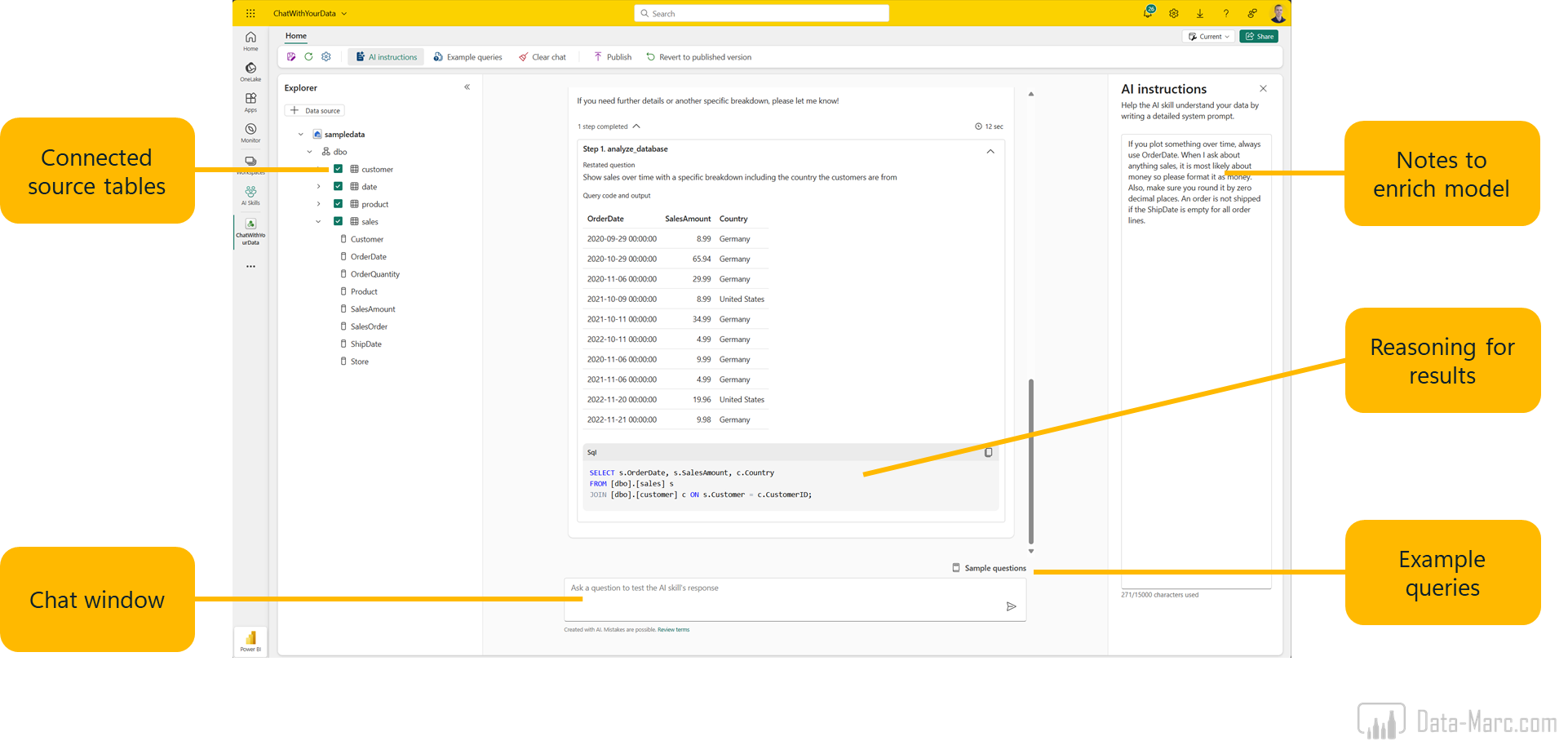
Data Agents support up to 5 sources at the same time right now. This can vary from Lakehouses, Warehouses, Eventhouses and Semantic Models. However, if you add more sources, the response accuracy will decrease. In my personal experience, the current setup works best if you have one source linked to one Data Agent. In that way, you design a tailored Data Agent which is a subject matter expert in a specific area. Note that Data Agents are officially in public preview, so it is expected that the experience improves moving towards general availability.
As many different source types are supported, we can conclude that Data Agents speaks different query languages. It supports the following scenarios:
- NL2SQL: Natural Language to SQL (Lakehouse and Warehouse)
- NL2KQL: Natural Language to KQL (Eventhouse)
- NL2DAX: Natural Language to DAX (Semantic Model)
Improving response quality
Based on the list of sources, only the Semantic Model allows for additional enrichments of the meta data to improve response quality. Looking at the Semantic Models as a source, the prompt is processed including model object names, as well as synonyms and descriptions. Processing of the prompt to generate answers based on the data uses the same techniques as the Power BI Q&A visual is doing for years already. Back in 2020, I wrote a blog on this exact topic which you can find here: Synonyms, the secret behind Power BI Q&A and Natural Language Query.
In the era of AI, we suddenly all think magic happens and expect the Data Agents, Copilots and any other natural language processing tools to provide us accurate answers. Though, descriptions, synonyms and the linguistic schema are more important than ever before! Though, still sticking to the Power BI Q&A visual, given my various tries have shown that descriptions and synonyms are not respected by Data Agents, instead the LLM on the back tries to generate a new DAX expression and by-passes this meta data enrichment (note that this has been tested while Data Agents were in public preview).
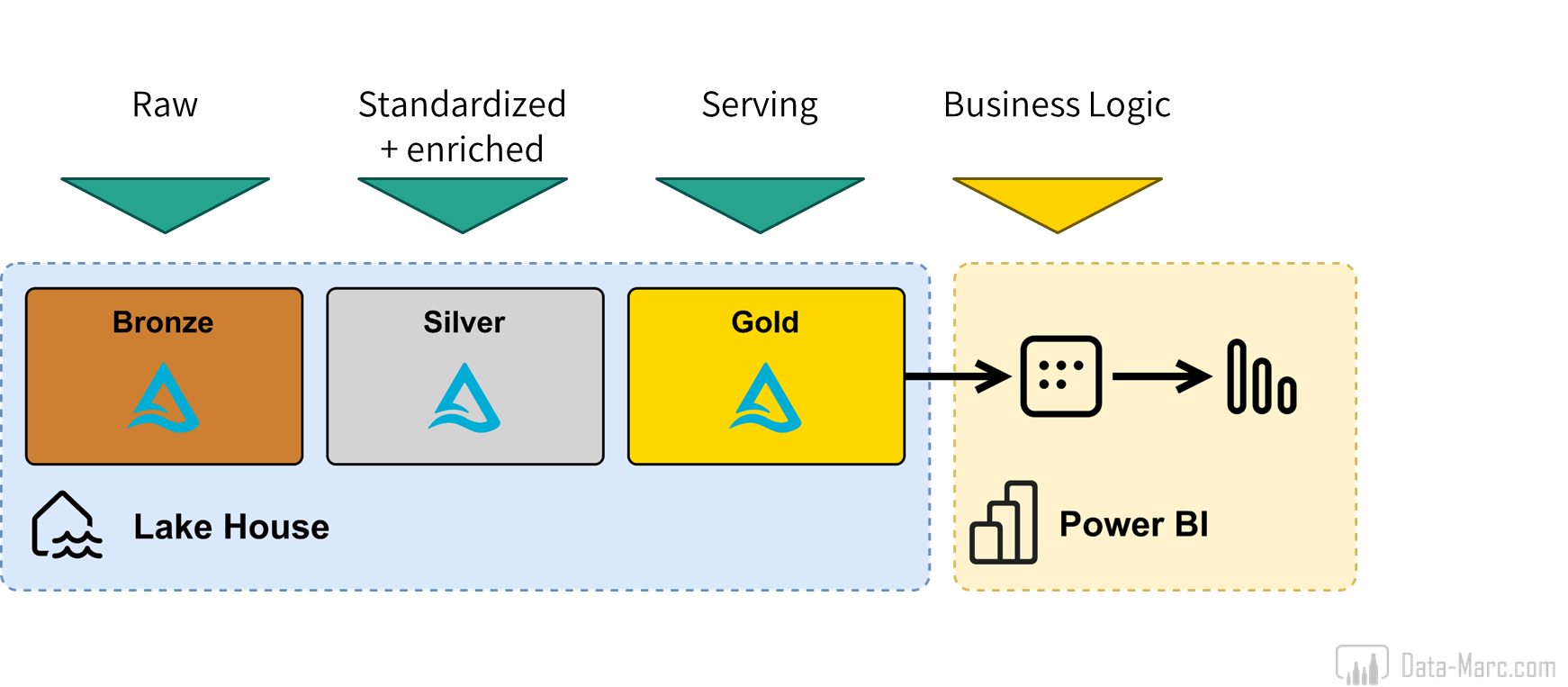
As I said, Semantic Models are the only source for Data Agents that allows meta data enrichment. Also, any business logic that may be added, is added in DAX expressions of the Semantic Model. In the end, a Lakehouse, Warehouse and Eventhouse are just structured tables in a storage layer. Warehouses allow for relationships between tables, but that’s about it. Of course, some items can be pre-calculated in stored procedures or any other way to process the data. But we have to commonly agree that the most rich version of your data, including all logic, aggregations and business definitions exists in the Semantic Model.
Not only the logic plays a key role here, also the frame of reference for business users who will interact with the Data Agent. Typically, Lakehouses, Warehouses and Eventhouses contain technical names for objects (tables and columns) and are writting in PascalCase or camelCase. Semantic Models on the other hand, are (or should be) in the perspective of the business user having user friendly names, including spaces and everything.
Single source of truth
So far, we’ve mainly looked at the technical differences between the sources and enrichments that can be done to these sources to improve answer quality. But maybe the most important of all, is presenting a single version of the truth. Data Agents (in any form) will not be the only way how we interact with the data. Power BI Reports will still exist for at least the foreseeable future. Though, a report can only present so much on the screen, where a Data Agents is more tailored to ad hoc questioning, also for anything that might not be part of a report.
However, it is key that we the definitions used in the report are the same as the definitions used by the Data Agent. So, if we calculate our revenue by excluding a certain product category, and we have this definition captured in a DAX measure, we expect this to be respected by both the Data Agent as well as used in the reports. Given it is saved in a DAX measure, this means the definition is not available in the upstream data sources which may be a Lakehouse, Warehouse or Eventhouse.
Conclusion
Looking at the three options we have in Microsoft Fabric to build a natural language processing engine on top of our data, we have the good old Power BI Q&A Visual, Copilot and Fabric Data Agents. The last one allows for most customization and training according to our own needs. Therefore, is the most suitable option to build a reliable natural language agent in the Era of AI.
Looking at the sources we can connect, we can no other than conclude that having a Semantic Model as source for any natural language engine is the most effective and the way to go. Mainly because of the following reasons:
- Semantic Models (should) use business terminology and user-friendly names.
- Semantic Models allow for descriptions and synonyms to improve response quality (though, not respected by Data Agents at this moment in time).
- Semantic Models are enriched with calculations and business definitions captured in DAX measures.
- Semantic Models can serve a single source of truth across both Reports and Data Agents.

Typically, we should start setting up a decent data foundation in which we ingest, transform and process our data in Lakehouses, Warehouses and Eventhouses. On top of that, Semantic Models should be built, enriched with Synonyms, Descriptions and tailored Linguistic Schema. Only then, we should rely on any natural language interface processing our prompts and returning insights based our data.
With this conclusion, Semantic Models have become more important than ever before. Often, it is not seen this way as Data Engineers (or the Fabric Analytics Engineer as Microsoft positions it) is supposed to be the one person that can do it all. However, Semantic Models is an expertise on its own. The design, performance and writing proper DAX should not be underestimated.
 Data - Marc
Pingback: Automatically populate Data Agents with Semantic Model Synonyms – Data – Marc
Thank you for the great article, Marc! I’m excited to see businesses get even more value from the Semantic Models that they have already been building for years. At the Fabric Conference I spoke to a person whose organization was forcing her to migrate from Tableau to Power BI. During our conversation, I realized, other tools may actually be a better dashboard-creating tool, but what Power BI has really always been is a model-creating tool, dressed up as a dashboard-creating tool :).
Do you know if there’s a timeline for Fabric Data Agents to support linguistic schemas?
LikeLike