
Yes, you read it right. Most security implementations on data estates are a joke. It’s just closing your eyes for what you can’t see or don’t feel responsible for. Too often I come across situations where the lack of security awareness and proper implementation results in locking the front door but leaving the back door open.
In this blog I will elaborate on the half-baked security implementations I come across frequently, the risks that come with it and what features you can consider improving your security setup. You may take this blog as an eye opener or may interpret it as a rant. It’s up to you.
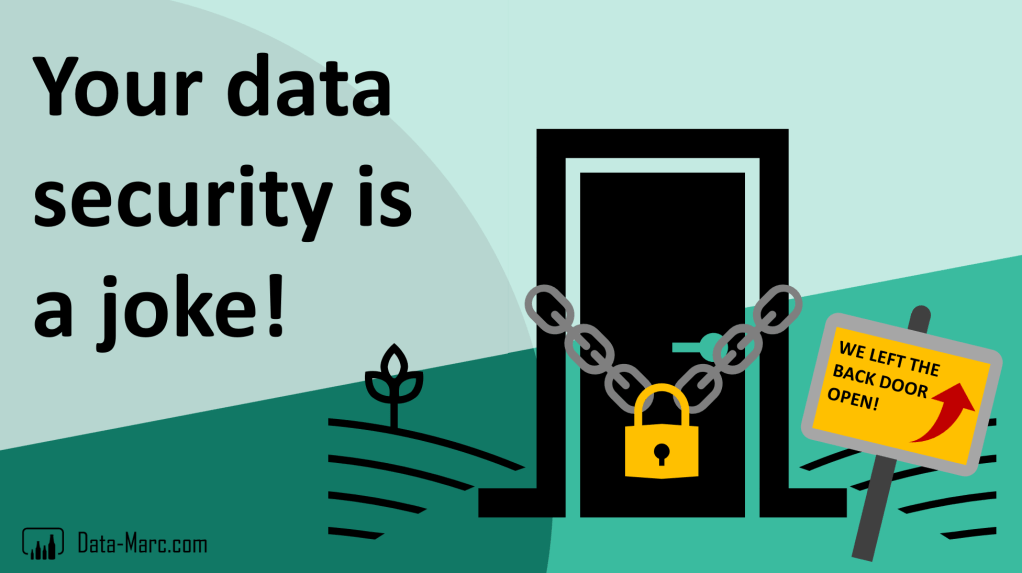
Maybe it comes across a little harsh. But honestly, many data estate security implementations are a joke. Everything has been done to secure the data in the data platform, but wherever the data is consumed outside the platform is not secured at all. In my opinion, architects are too often closing eyes and countering with arguments like “that’s not my responsibility” or “that’s outside my scope”.
Case
Let’s face it! As usual, I will start this blog describing a case. Imagine you organization values data a lot. Data is the new electricity, oil, gold, whatever you value. Data is at the core of your organization and is a strategic topic. As part of this effort, your organization invested a lot in bringing different data streams together in a data platform. This platform has been built over the past years, and you’ve invested a lot of time and money in technologies like (Azure) Databricks, Synapse Analytics and maybe recently also shifted your focus to Microsoft Fabric.
The platform has been designed by an architect responsible for the data platform. Also, because security is important, you have been told, you have appointed a security officer. Together they’ve taken several measurements to secure your organization’s data. Your data platform is in a disconnected from the public internet and in a virtual / private network. As part of this security, you pay a lot of additional Azure cost every month – because nothing comes for free.
Mission accomplished, right? Data is properly secured in our platform! Though, collecting the data is one. Up till that point you did not convert the data into information. Having the data does not bring your organization any value. Therefore, you invested in data science and analytics in top of the data. A variety of tools is used here, like Microsoft Power BI and not to forget Microsoft Excel.
But how is your data secured in those analytics tools? Who is responsible for them?
Problem statement
To make the data available in Power BI for example, an on-premises data gateway or VNET gateway has been setup. With that, there is a secured tunnel in which the data can leave the platform to be consumed in other tools. But how is the data secured in Power BI? Did we implement the same security measurements on that end? If you ask these questions to the data platform architects, I get the same answer too often…
Too often, I come across data platform architects who only care about the data platform that lives in Azure (or any other cloud). The analytics and report tools are not in their scope, and they don’t feel responsible for it. However, they do support using their data in these tools. And I think this is wrong! An architect’s responsibility does not end at the platform itself, but also in all places where the data consumed. You cannot simply close your eyes for what is happening in other tools with the exact same data.
Power BI is often not the responsibility of the platform team and therefore architects don’t care. Apparently, when the exact same data lands in Power BI or Fabric if you will, suddenly private endpoints are no longer needed? And sensitivity labels (Microsoft Information Protection as part of Purview) are again someone else’s responsibility. Frequently this topic is managed from a Microsoft365 side to protect documents in SharePoint and Teams, but the impact on data platform is forgotten. Although the licenses are in place, the implementation never really started or is only implemented on M365 but not on the data estate, which is another one I come across frequently.
Let’s face it… If data consumers export data from any Power BI report to Excel of CSV files, they can do whatever they want to this data. So, the burning question is: What exactly is the value of your security implementation on your data platform? Is it worth the additional monthly Azure cost?
What should be your next steps?
You simply cannot close your eyes for anything that is happening outside your data platform. I truly believe that as data platform architect, it is also your responsibility to make sure the data is consumed in an appropriate and secure manner.
Ownership
It all starts with ownership. Who is responsible for end user analytics tools like Power BI and Excel? It is important to appoint someone who manages governance and security on that end, controls tenant settings.
Next to the ownership of the platform/tool, there is also data ownership and solution ownership. These topics are also crucial to make sure your data is correct, trustworthy, well maintained and up to date.
Network security
Should you start implementing private endpoints on all areas? I doubt if that should be your solution. If the only tool you have is a hammer, it is tempting to treat everything if it were a nail. But there are tons of other options to secure data end-to-end.
In case your data lives in an Azure storage account and you use Power BI, you have to deal with two different serving methods. There is a significant difference between Infrastructure- (IaaS) and Platform-as-a-Service (PaaS) approach, versus the Software-as-a-Service (SaaS) approach of Power BI. I tend to take the comparison to Microsoft365 and other services. Did you also enclose those services in a virtual network? Usually not, so why would you with your Power BI reports? Though, that does not mean you should not secure it at all.
However, if you desire so, you can put Fabric / Power BI entirely behind private endpoint and block public internet access. But as explained in the introduction of this blog, consider which doors you open again and the limitations that come with it.
Sensitivity labels
Sensitivity labels, part of Microsoft Purview Information Protection (MIP) is a tool that helps you to secure your data across all areas. No matter if your data lives in a Fabric Lakehouse, Power BI Semantic Model, exported Excel sheet or even a PowerPoint presentation, it works across the Microsoft ecosystem. Using sensitivity labels including the automatic inheritance of labels for downstream items, you no longer take risks when it comes to exported data leaving the organization.
Conditional access
A setup in which users need to work from a company device, connect over VPN or work from the office are part of conditional access setups. Using SaaS services like M365, Microsoft Fabric and Power BI allows users to work from basically everywhere around the world but comes with risks. Connecting to your organizations data over public networks can be a risk for your data security. Therefore, VPN connections and managed company devices will help.
Using the conditional access setup, you can limit IP ranges, locations, devices and enforce multi-factor-authentication through Entra ID (Azure AD). This applies to any Microsoft tool you’re using, given Entra ID is the central authentication setup across all services and tools.
Wrap up
In this blog, I’ve explained a case in which the data security implementation is half-baked. We locked the front door but also pulled up a sign informing that the back door is still open. Setups I come across frequently.
I truly think that every organization should add security (again) to their 2025 priorities. Reconsider what you’re doing today and if that is the right thing to do. Do not just close your eyes for what happens outside of your scope but take into account all external connections to your platform. Challenge each other to do better. Architects should be responsible for the right security measurements on their platform, where the security officer is accountable across all platforms.
In the Microsoft ecosystem, there is a variety of options that helps you to better secure your end-to-end data estate, no matter if it lives in Microsoft Fabric Lake houses, Power BI Reports, Excel sheets or maybe embedded in an email or PowerPoint slide deck. Ownership should be your starting point, followed by conditional access and sensitivity labeling in my opinion. Last (and complex) resort could be network security.
I’m curious to hear what you think about this topic and what measurements did you have taken so far. Let me know in the comments!
 Data - Marc