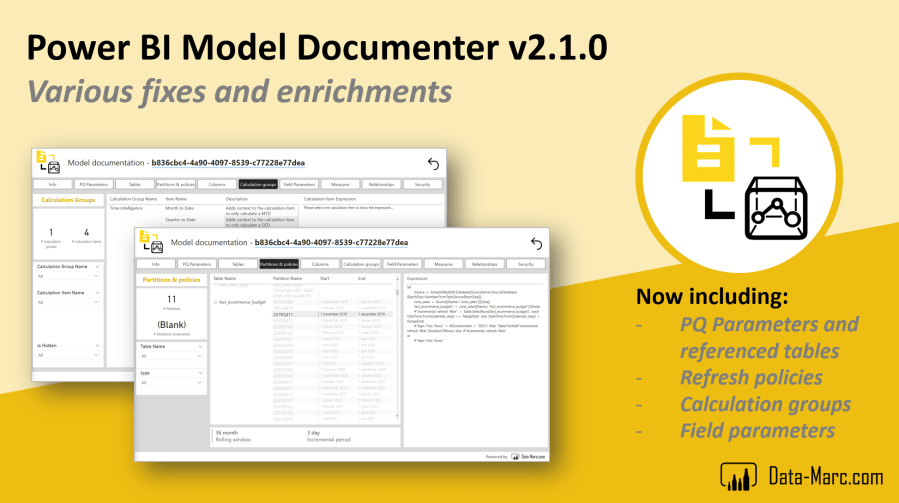
It is long overdue, but time for a new updated version for the Power BI Model Documenter external tool! The latest release lasts from the first week of 2022 and since then close to 6000 people have downloaded the Model Documenter installer directly from the website, excluding the downloads and clones from the GitHub repository. I can’t share enough how happy I am with all the interactions I’ve had with people from all over the world providing feedback, asking questions and willing to contribute to the Model Documenter.
In this post, I elaborate on the newest changes and additions to the Model Documenter. Keep on reading!
What is fixed?
Since the introduction field parameters in Power BI, I have received several issues with regards to generating the vpax file, required to run the Model Documenter. With release v2.1.0 this issue is fixed! The update to this lasted longer than expected, however I’m happy that the nuget package used to generate the vpax file is updated and solves this issue.
Another issue that was raised, was duplicate values in the perspectives table as part of the model structure of the Model Documenter report. This issue is now fixed by generating an index to identify unique perspectives in an early stage during the loading of the vpax file to the Model Documenter templated report.
What is new?
Based on feedback I’ve received from many; I’ve enriched the template report with more insights into your data model! Massive thanks to everyone raising ideas and contributing in all different ways. Below a short overview of the new enrichments.
New enrichments:
- Insights in Power Query parameters and referenced queries – Read more
- Partitions and policies page, to show incremental refresh policies if applicable and show partition expressions – Read more
- Introducing a dedicated page to calculation groups – Read more
- Dedicated page for Field parameters – Read more
- Enhanced security page to split row-level-security and object-level-security – Read more
What’s next?
I do my best to keep evaluating the tool. Please keep contributing to all sorts of ways. Feel free to contribute directly to the repository and open a pull request. In case you encounter a problem or run into a bug, please let me know by creating an issue on GitHub!
 Data - Marc
Pingback: Power BI Model Documenter Version 2.1.0 – Curated SQL
Pingback: Connect the Power BI Model Documenter to existing data models in the Power BI Service or Analysis Services – Data – Marc
Is there any possibility to make a portable version? I would like to use it in my job, but I don’t have admin rights and I can’t install any external software. But this solution will help me a lot in my daily routine. It would be great if you have this option as well.
LikeLike
Hi Diego,
Thanks for the suggestion. I’ve heard this feedback more often. I’ll explore what’s needed to make it portable software, but can’t promise anything unfortunately.
Keep an eye out on my website and the github repo for future updates.
–Marc
LikeLike
Hello,
Is it possible to change, for example a description of a measure and republish the power bi on power bi services, and then that the documentation updates automatically?
Thank you,
Have a nice day !
LikeLike
Hi Amina,
At this moment, using v2.1.0 of model documenter does not support automated updates of any changes. The documentation is generated as one off. To update it, you have to rerun the model documenter and republish the documentation report.
–Marc
LikeLike
Hello,
And, sorry, I have a second question, if it’s impossible to refresh the data so it means that we can’t personalise the doumentaion because everything will dispear ? Is that right ?
Thank you,
Have a nice day !
LikeLike
Also see my previous reply. You have to rerun the model documenter for updates. If you wish to use your own reporting format or template, you can update the template to your own wish following the guide as documented on GitHub. See: https://github.com/marclelijveld/External-Tools-Model-Documentation/wiki/4.-Customization-of-the-Model-Documenter
–Marc
LikeLike
Hello !
I have a question,
Can we switch the language (like for the names of tables, etc.) in french for example? Because when we change the template, we can just change colors, visuals, and measures, but we can not just change the data… Is that right ?
Thank you,
Have a nice day !
Amina
LikeLike
Hi Amina,
Translating the data is something model documenter does not support. The current version returns the information as is – not necessarily in English. So if the model metadata is in French or any other language, it will present it to you in that language. The model documenter itself and report are English though – but can be adjusted as part of the template as you said.
—Marc
LikeLike